What's New in PTE AV Studio 12
Blending Modes
New blending modes let you combine objects using Linear Dodge (Add), Subtract, Multiply, Screen, Lighten, Darken, Overlay, Hard Light, or Soft Light. They are available in the Mask container, and work with both photos and video clips, giving you full control over how objects combine. A common use is merging two photos into a single double-exposure image, where both pictures remain visible at once, blended smoothly together. (Pro version only)
Video Speed Control and Slow-Motion
Adjust video speed using key points to speed up, slow down, or freeze the action exactly where you need it. (Pro version only)
The new frame interpolation creates smooth slow-motion effects by blending frames together, eliminating jerky playback when slowing down your footage. (Pro version only)
Improved Video Playback
Smoother playback and better audio/video synchronization for variable frame rate (VFR) videos, commonly recorded by modern smartphones.
Added HDR video support (HLG and Dolby Vision, Rec.2020 color space).
AV1 video playback is now hardware accelerated¹, significantly reducing CPU load when previewing projects with AV1 footage.
Sound Object & Built-in Library
The new Sound object lets you play short audio files to enhance your slideshows and AV shows. Choose from our built-in Sound Library with camera shutters, clicks, page turns, and whooshes, or import your own custom audio files. Adjust sound volume for individual video clips and sound objects with precision.
Voice Recording on Mac
Mac users can now record voice-overs directly in PTE AV Studio without external tools.
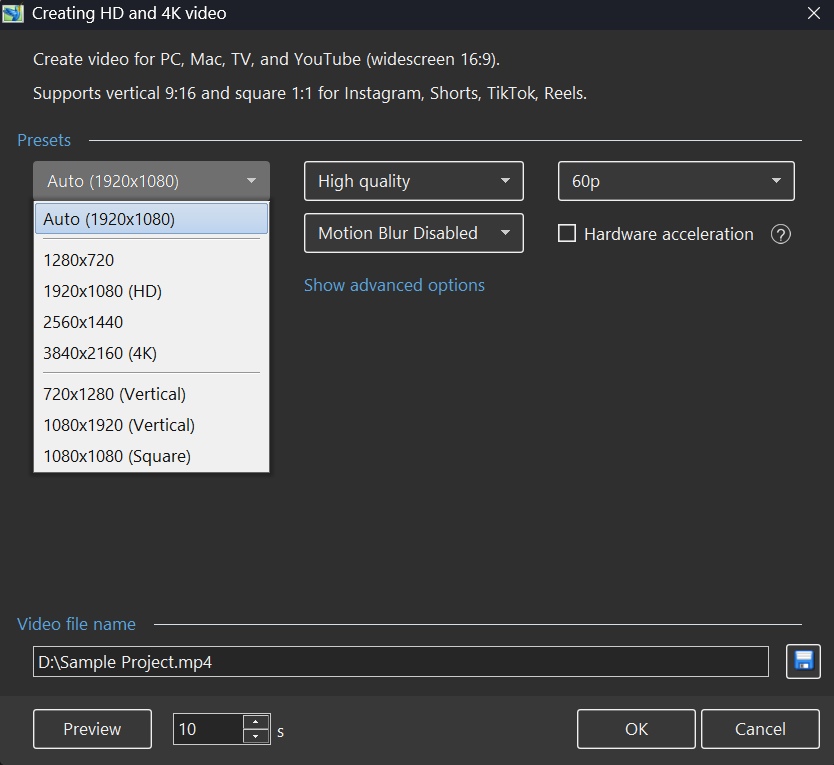
Export Vertical and Square Video
PTE AV Studio 12 adds full support for vertical video (9:16 for YouTube Shorts, TikTok, and Instagram Reels) and square format (1:1 for Instagram posts). New resolutions 2560x1440, 1080x1920, 720x1280, and 1080x1080 cover all modern platforms. The "Auto" resolution preset automatically matches your project settings for quick exports.
New AV1 Video Encoder
The revolutionary AV1 encoder produces videos up to 50% smaller than H.264 while maintaining the same visual quality, making it perfect for web publishing.
New Creative Effects
The Dynamic Gradient map creates color transformations and artistic looks. The Chromatic Displacement map adds glitch effects and distortions for modern, eye-catching visuals. (Pro version only)
The Instant speed modifier disables interpolation between keyframes for snappy, precise animations.
Blur and Unsharp mask can now be adjusted separately for parent and child objects. (Pro version only)
Quick Search
Find the perfect slide style or transition instantly. Type a keyword and PTE AV Studio will show you matching results immediately. No more scrolling through hundreds of options. You can also filter slide styles by the number of images they require.
New Slide Styles and Transitions
New transitions: Spots, Push Smooth, Rotating Linear Wipe. New slide styles: Zoom Out with Fade, Brush Strokes - Frosted Glass.
HEIC and AVIF Image Support
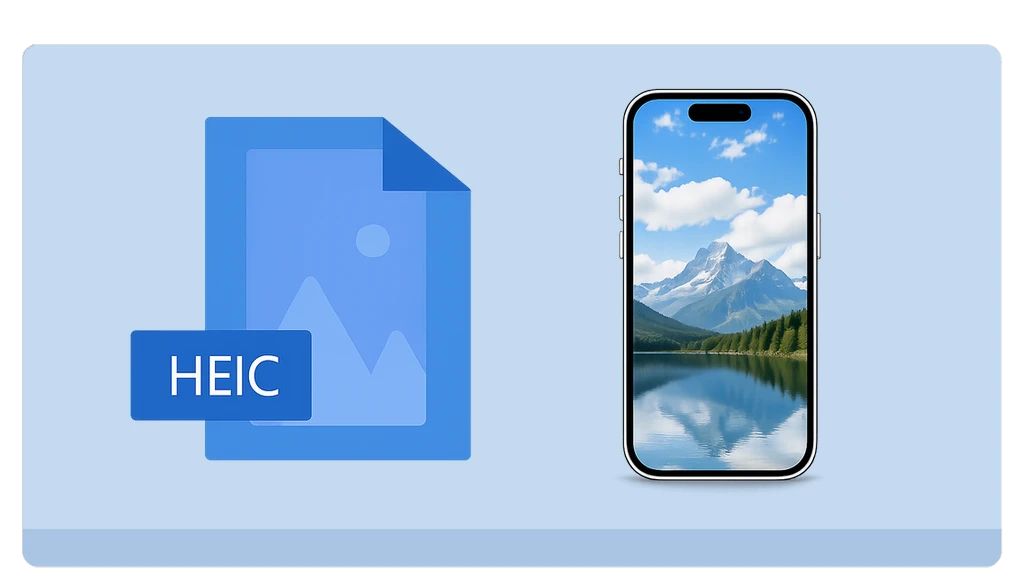
HEIC, the format used by iPhone for storing photos by default, is now supported on Windows. Windows users can now import iPhone photos directly into their slideshows, without converting them first. AVIF support is now available on both Windows and macOS, covering the modern web image format used by many websites and image services.
Improved Chroma Key for Video Clips
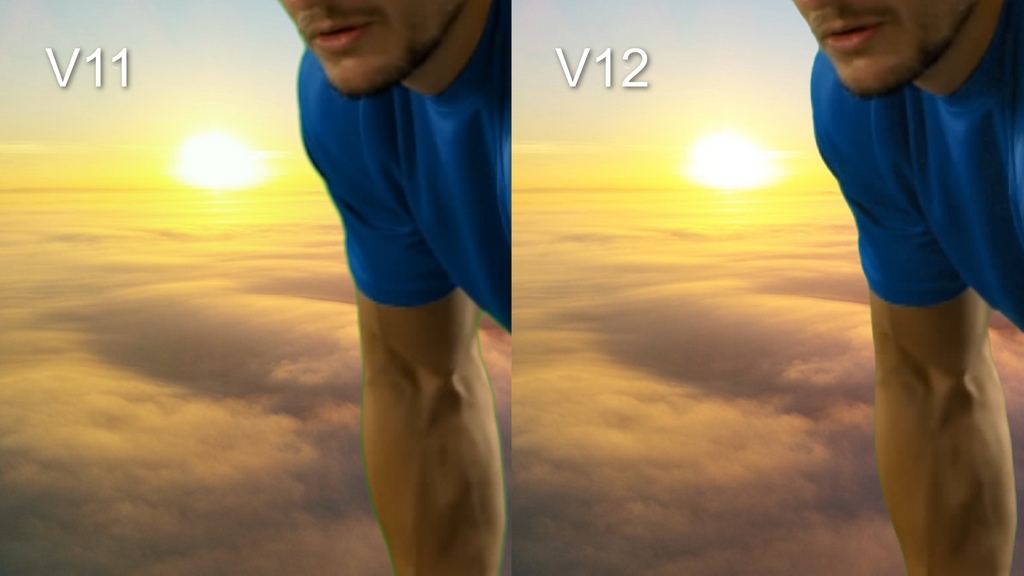
The chroma key function for video clips has been completely rewritten. It now works reliably with all popular background colors: green, blue, red, and more. Background removal quality is significantly improved. Edge handling is especially enhanced: color spill is eliminated and object outlines are clean and sharp.
Faster Project Backups & 2 GB+ ZIP Support
Back up your projects 3–4× faster. The Create Backup in ZIP command now correctly handles projects with multiple files that share the same name in different folders. Added support for creating ZIP archives of projects larger than 2 GB.
Other Improvements
- The "Fast decode (web)" export option creates optimized videos for quick loading and playback on the web. You can also pause video encoding and resume later.
- Export Slides to Images can now include transition effects.
- Hold Shift while dragging a sound volume keypoint in the Timeline to adjust it with finer, slower precision.
- Transition group expand/collapse state is now remembered.
- Custom transitions: added "Duration (in the editor)" parameter, allowing transitions to be created and previewed at any length, not just 2 seconds.
- Improved interpolation between keyframes for long panoramas when using the Smooth modifier or other speed modifiers.
- Improved installer on Windows: fonts now render larger and are easier to read at 125%+ display scaling (HiDPI support), and the installer now respects the system Dark Mode theme.
- Added a Japanese translation.
¹ AV1 video hardware acceleration requires: on Windows — graphics cards from 2020 or newer (NVIDIA RTX 3050+, AMD RX 6000+, Intel Arc or 11th Gen+ integrated graphics); on macOS — an Apple M3+ chip. Otherwise, software (CPU) decoding is used.